
Your Dock. On your screen.
Even when your mouse wanders.
Your Dock. Locked to your preferred screen.
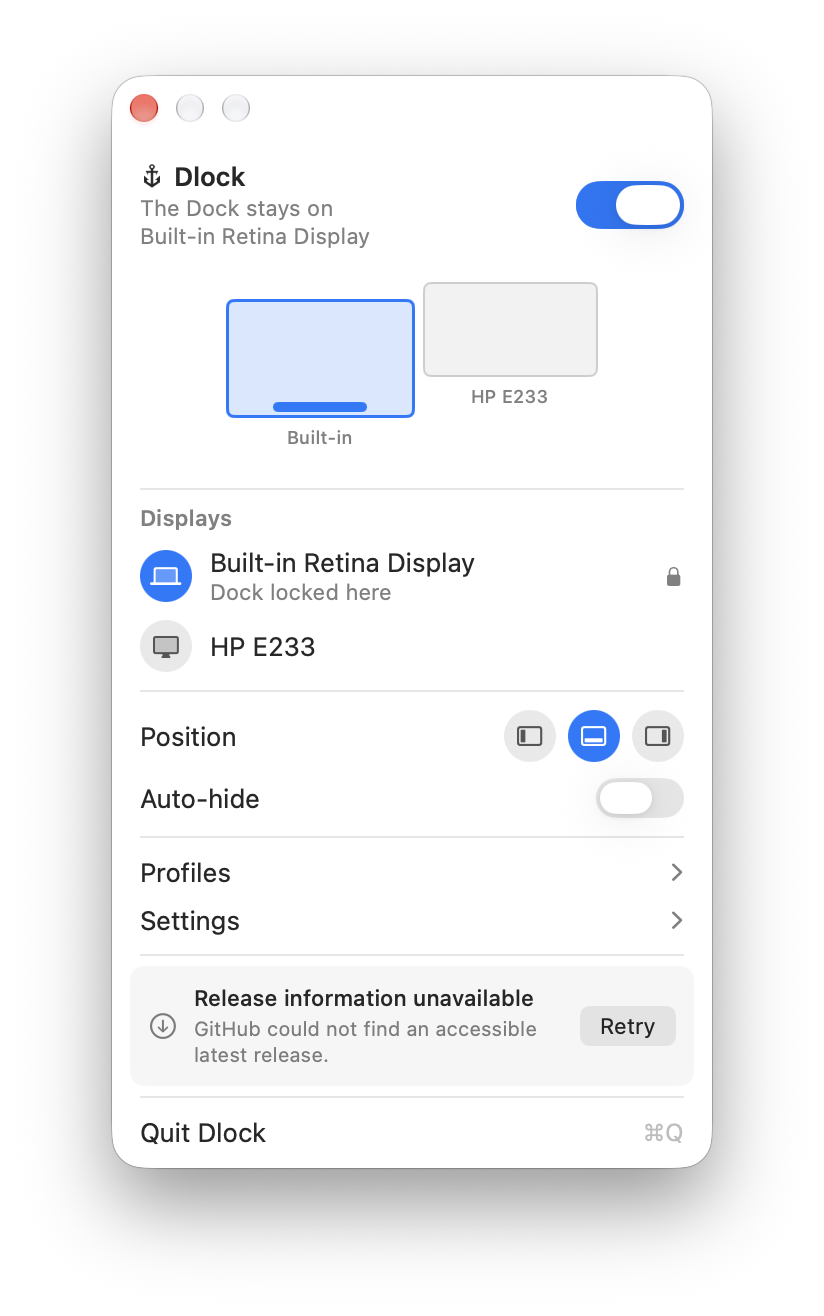
Set it once. Get back to work.
- Open Dlock from your menu bar.
- Allow Accessibility access when prompted.
- Choose the display where you want your Dock.
Made for your multi-display Mac.
Use Dlock with a bottom Dock and two or more displays. Left and right Dock placement follows macOS’s own display rules.
Tested macOS versions will be listed before launch.
Buy once. Keep it.
Early supporter · First 50 purchasesOne-time
$
2.99
9.99
1×License
First 50 licensesNext: $4.99
Sales tracking starts at launch
- All Dlock features
- One active Mac per license · transferable
- All future updates and major versions
10% off from your third license · up to 5 licenses
A few questions
Dlock uses Accessibility access to prevent accidental Dock-switching gestures and check which display contains the Dock.
Yes, for activation and periodic license checks. After a successful check, Dlock works offline for up to 30 days.
Yes. Deactivate Dlock on your current Mac, then activate it on another.
No. Check compatibility before buying.
Dlock remembers your preferred display and attempts to restore the Dock when it reconnects.